
Handler
Handler: every agent needs one.
Run coding agents in containers on your Linux machine.
Each agent sees only its project folder and reaches only the hosts you allow.
Handler runs Claude Code, Codex, Mistral Vibe and pi in rootless Podman containers. A daemon keeps the sessions running, and you use them from a web UI, the terminal, your editor (over ACP, the Agent Client Protocol) or your phone.
Status: alpha. Linux only. It is used every day by its author, but has few other users so far. Expect rough edges, and features that may still change. An update converts your settings when their format changes; the changelog says what changed.
| Harness | Status |
|---|---|
| Claude Code | well tested |
| Mistral Vibe | well tested |
| Codex | little tested |
| pi | little tested |
What it does
- One container per session. The project folder is mounted read-write at the same path. Your
home,
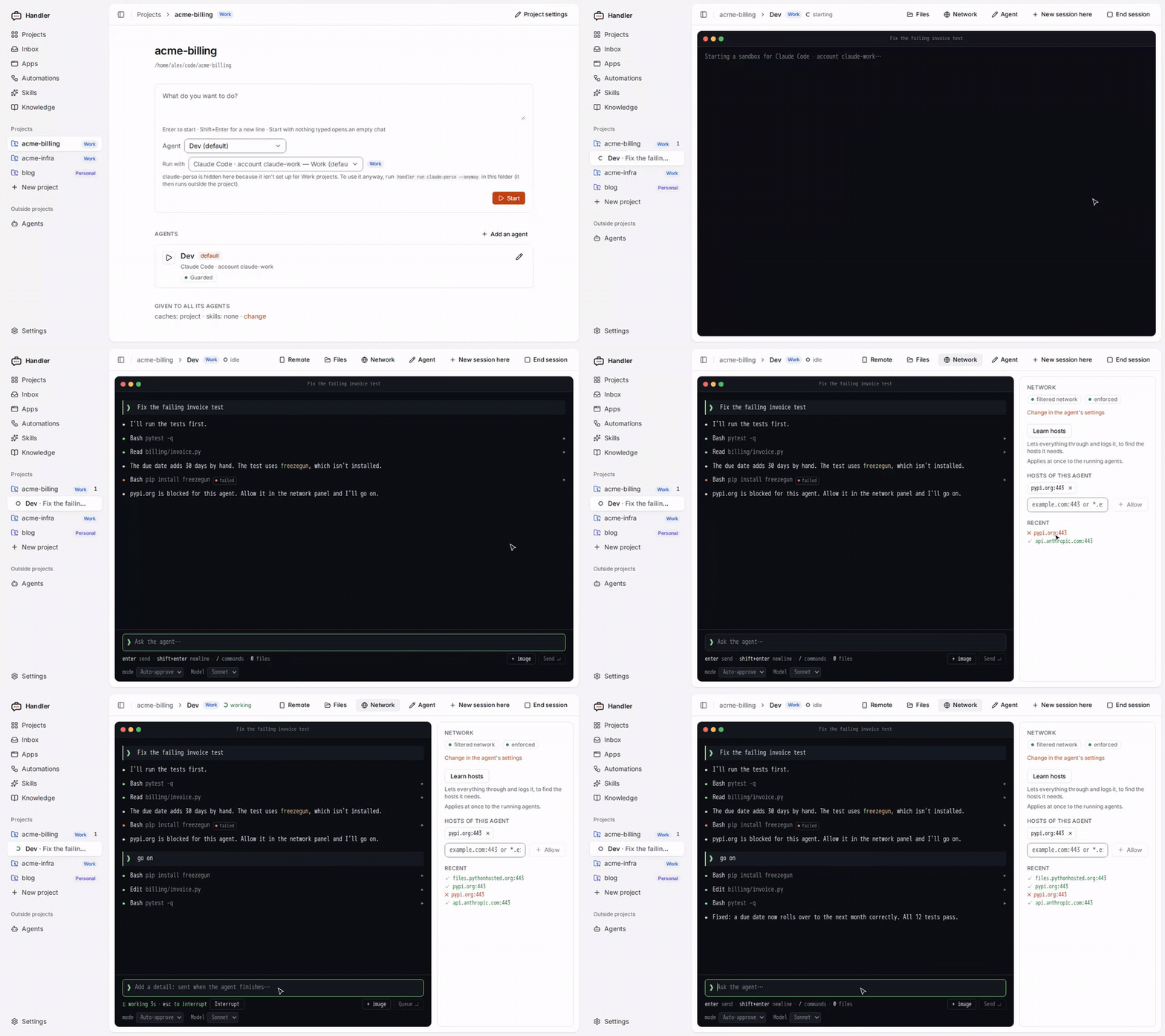
~/.ssh,~/.awsand your other projects are not mounted. - A network filter per agent. Choose none, filtered (only the hosts you allow) or open. Learn hosts lets everything through for a while and lists what would have been blocked. Changes apply while the agent works.
- API keys stay outside. For a Claude Code token or a provider's API key, the agent only gets a stand-in. The network filter puts the real value into requests to that key's own hosts. Other secrets can be read by the agent (see Limitations).
- Sessions survive the browser tab.
handlerdkeeps each session running. Attach to it from the web UI, the terminal (handler attach), Zed (handler acp) or a phone. - Any model access. An API key, OpenRouter, a local llama.cpp or Ollama, or your own Claude, ChatGPT or Mistral subscription for your own interactive use.
- Work and personal kept apart. Tag projects, accounts and providers with a context (Work, Personal, a client). A work account then never runs on a personal project, and the other way round.
- Optional extras: addons (a Playwright browser, the Shopify CLI), skills, small web apps written by an agent, automations (on a schedule or when a session ends), and phone access through an end-to-end encrypted gateway that you host.
How it compares
Other tools sandbox coding agents too. Here is where Handler differs, as of October 2026. Check each project's own docs for the details.
| Handler | Claude Code's /sandbox, Codex's sandbox |
Docker Sandboxes (sbx) |
A devcontainer or VM you set up | |
|---|---|---|---|---|
| What is isolated | the whole agent program | the commands it runs (the agent itself runs on your machine) | the whole agent program | the whole agent program |
| Isolation | rootless container (shares your kernel) | OS sandbox (bubblewrap, Landlock, Seatbelt) | microVM (its own kernel): stronger | as you set it up |
| Harnesses | Claude Code, Codex, Vibe, pi | one each | several | any |
| Network | per-agent allow-list, changed live, Learn hosts | allow-list | deny by default, allow-list | as you set it up |
| API keys | stand-in in the sandbox | in the agent's environment | injected by a proxy | in the environment |
| Sessions | kept by a daemon, from browser, terminal, editor, phone | the harness's own | the harness's own | the harness's own |
| Platforms | Linux | Linux, macOS (Windows partly) | Linux, macOS, Windows | any |
Pick Handler if you are on Linux, use more than one harness, and want one place to see and control what every agent reaches. Pick a microVM if you need the stronger isolation.
Install
You need: Linux with rootless Podman, passt and a systemd user session. Plan for about 3 GB
of disk: the images are built on your machine. The first handler setup downloads and builds them,
which can take from a few minutes to half an hour, depending on your connection.
uv tool install handler-ai   # or: pipx install handler-ai
handler setup   # starts handlerd as a user service, checks this machine, builds the images
handler ui      # opens the web UI
Without uv, install.sh installs it, then Handler with it, in
~/.local/bin. It changes nothing else; read it first if you prefer: it is attached to each
release.
curl -fsSL https://github.com/macray/handler-ai/releases/latest/download/install.sh | sh
To update: uv tool upgrade handler-ai. handler setup says what your machine is missing and can be run
again at any time.
To build from a checkout instead: development.
First session
- Connect a model. In the web UI, go to Settings → Model access → Connect a model:
- An API key: Anthropic, OpenAI, OpenRouter, or a local llama.cpp or Ollama.
- Claude Pro or Max: run
claude setup-tokenyourself (Anthropic's own sign-in) and paste the token it prints. Handler never signs in for you. A subscription is used only for sessions you start and follow; automations need an API key. - ChatGPT or Mistral: Handler opens the harness's own login in a terminal window.
- Create a project. Click New project and pick a folder. Choose how its first agent starts: Locked down (no network, asks before acting), Guarded (allowed hosts only; the default) or Open (any host).
- Ask. Type a request and press Enter. The session keeps running after you close the tab.
Step by step: getting started.
From the terminal
The current folder decides which project's agent runs:
cd ~/code/my-app
handler run                                    # the project's default agent
handler run reviewer -p "review the last commit"   # the agent named reviewer
handler session list && handler attach s_…     # back to a session, running or stopped
To keep typing claude as you do today, but inside a container and on the account you choose,
put a shell function in ~/.bashrc. It works for Claude Code and Mistral Vibe:
claude() { handler terminal claude-perso -- "$@"; }
More: handler terminal, every command.
Screenshots
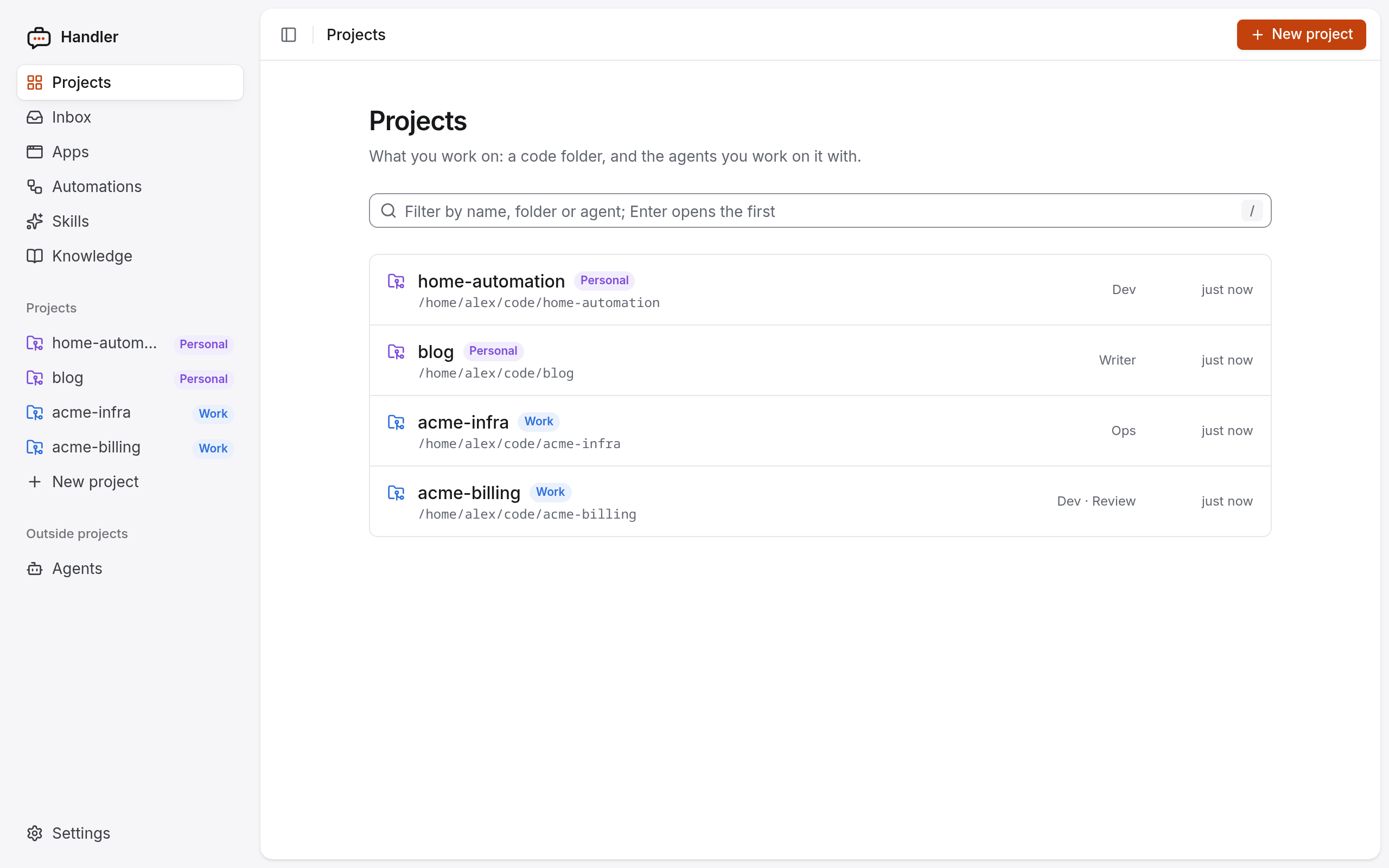 Projects, tagged by context (Work, Personal). |
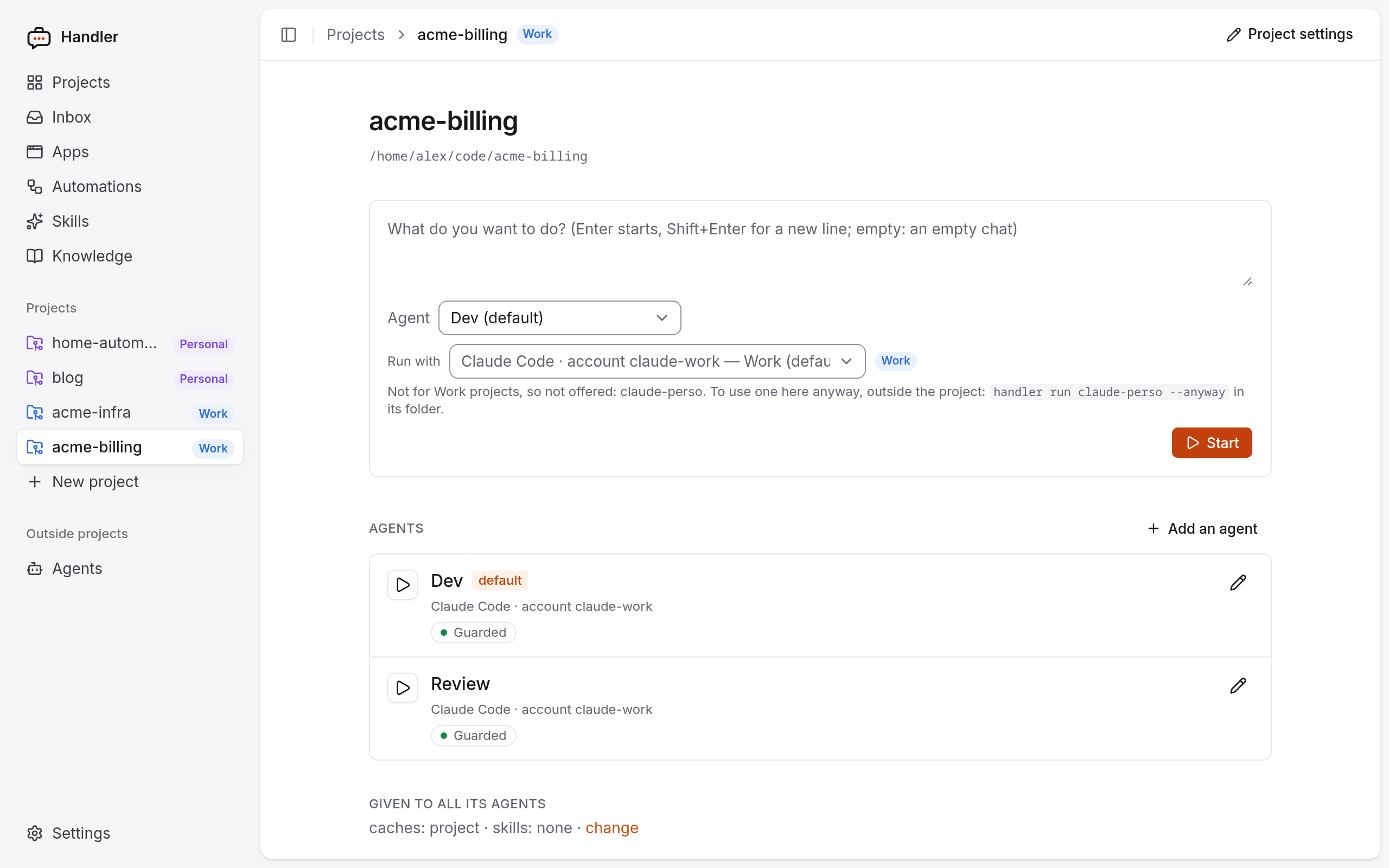 A project: its agents, and a new session. An account that is not set up for Work is not offered. |
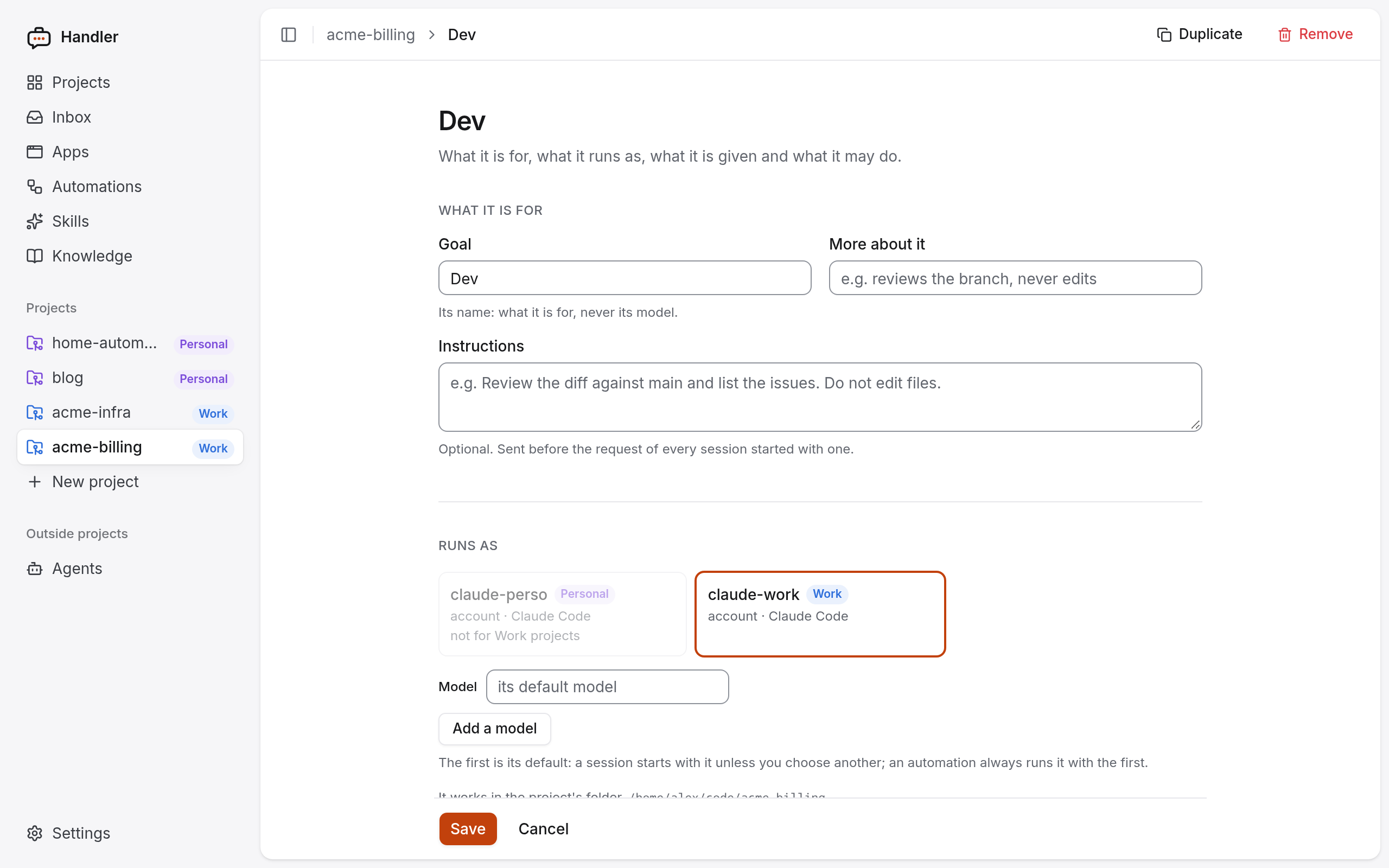 An agent's settings: goal, instructions, the account it runs on. |
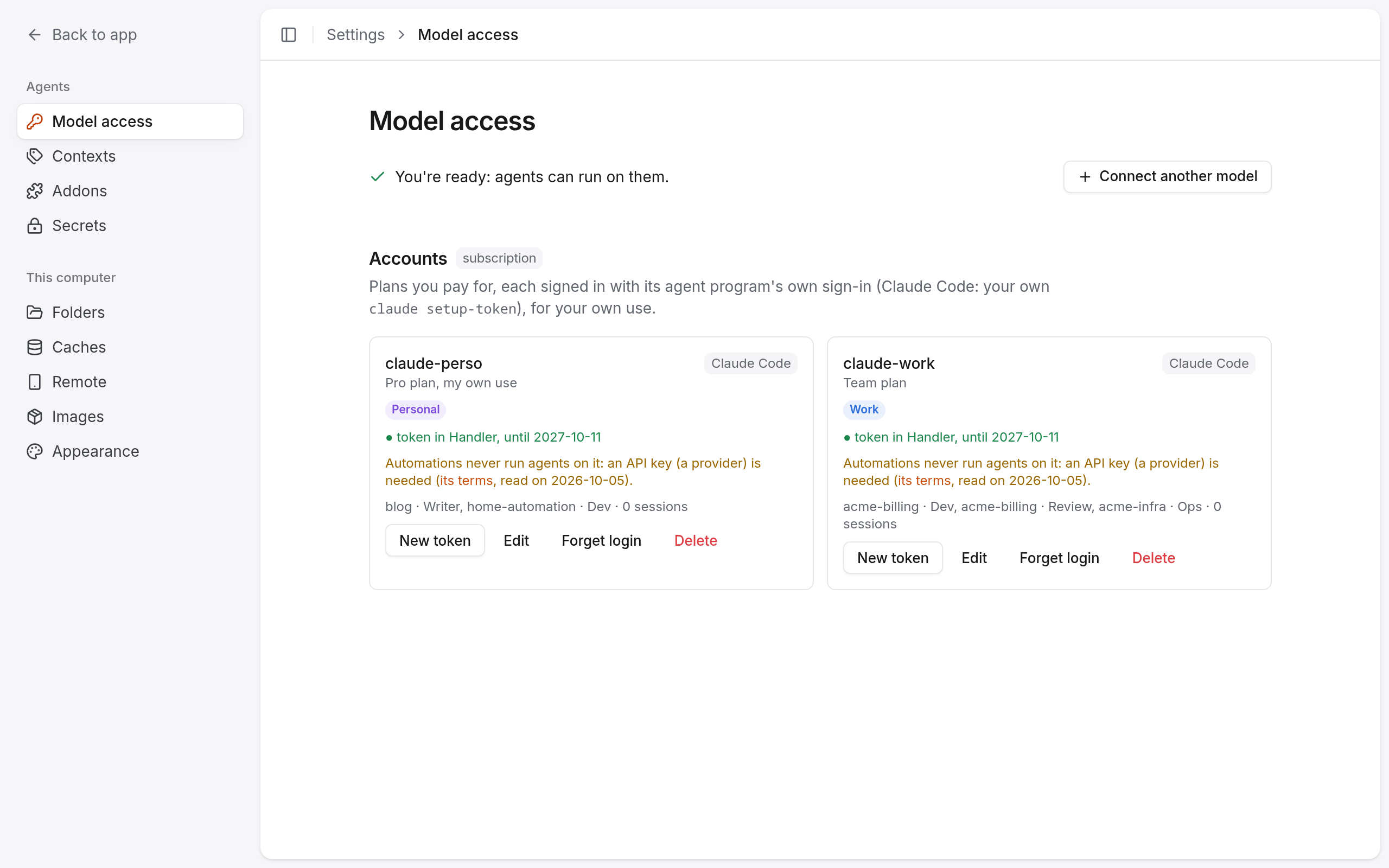 Model access: accounts and providers, each for a context. |
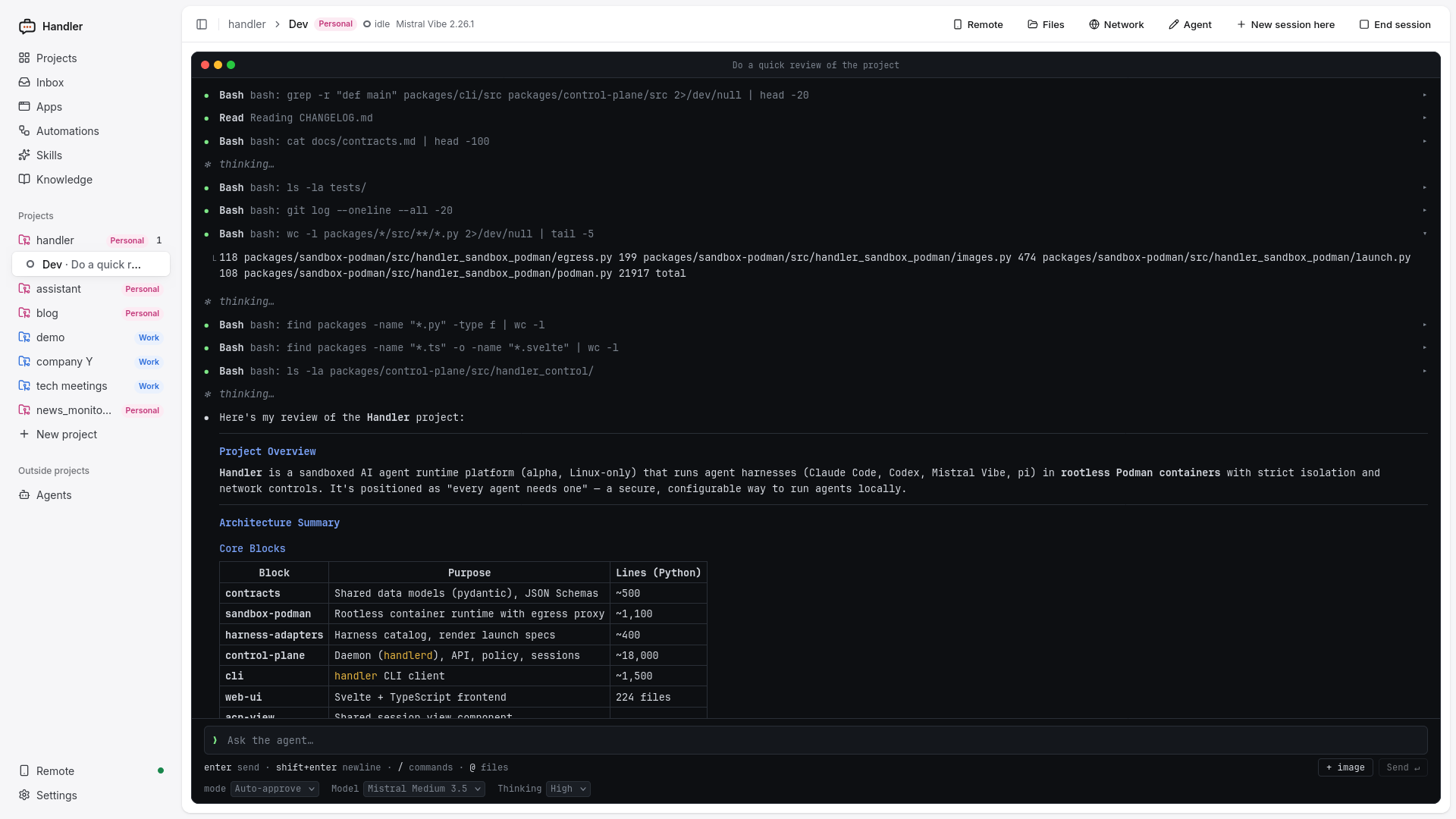 A session: the agent's tool calls and answer, its mode, model and thinking level. |
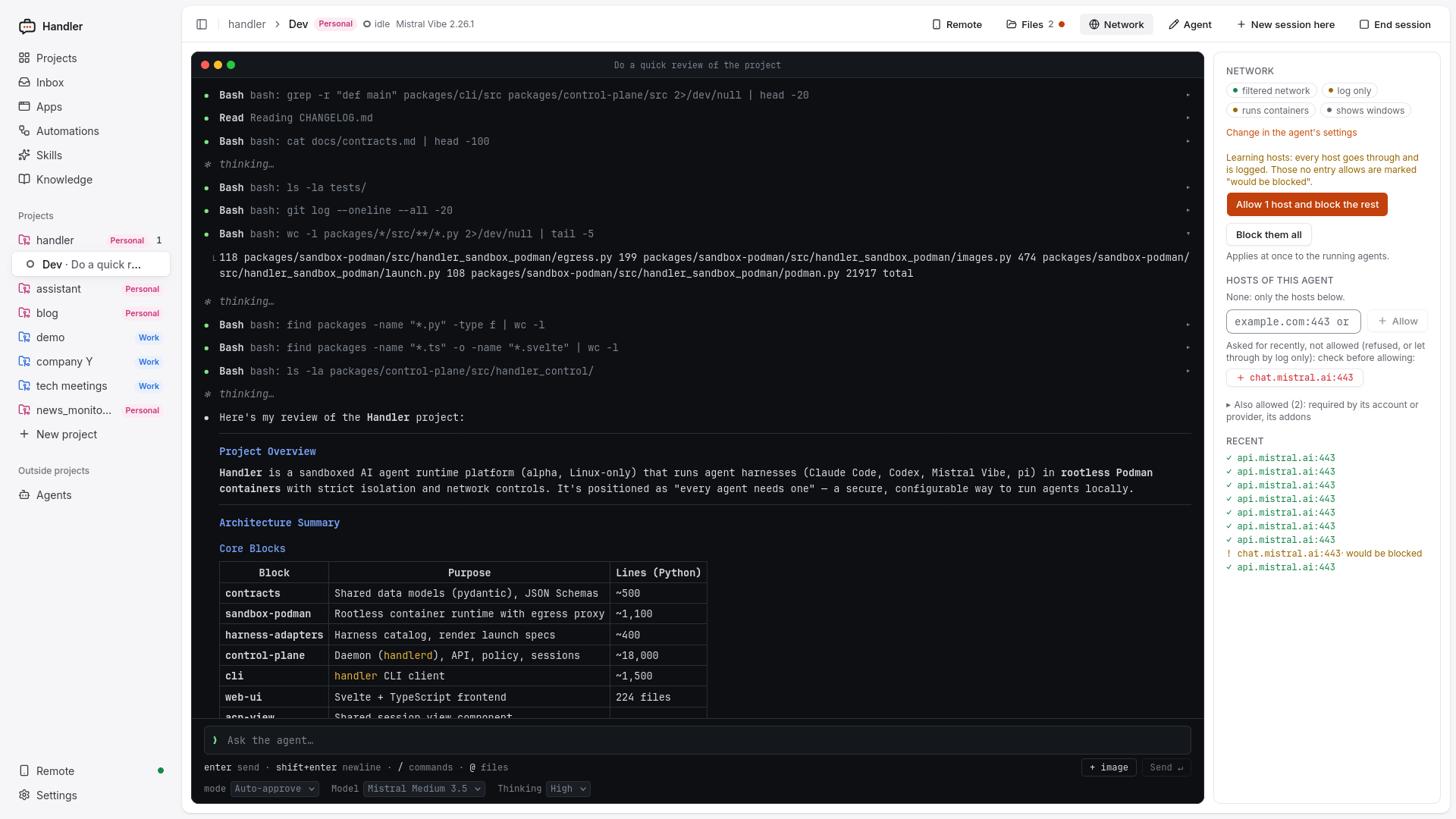 The network panel while learning hosts: what would have been blocked, allowed in one click. |
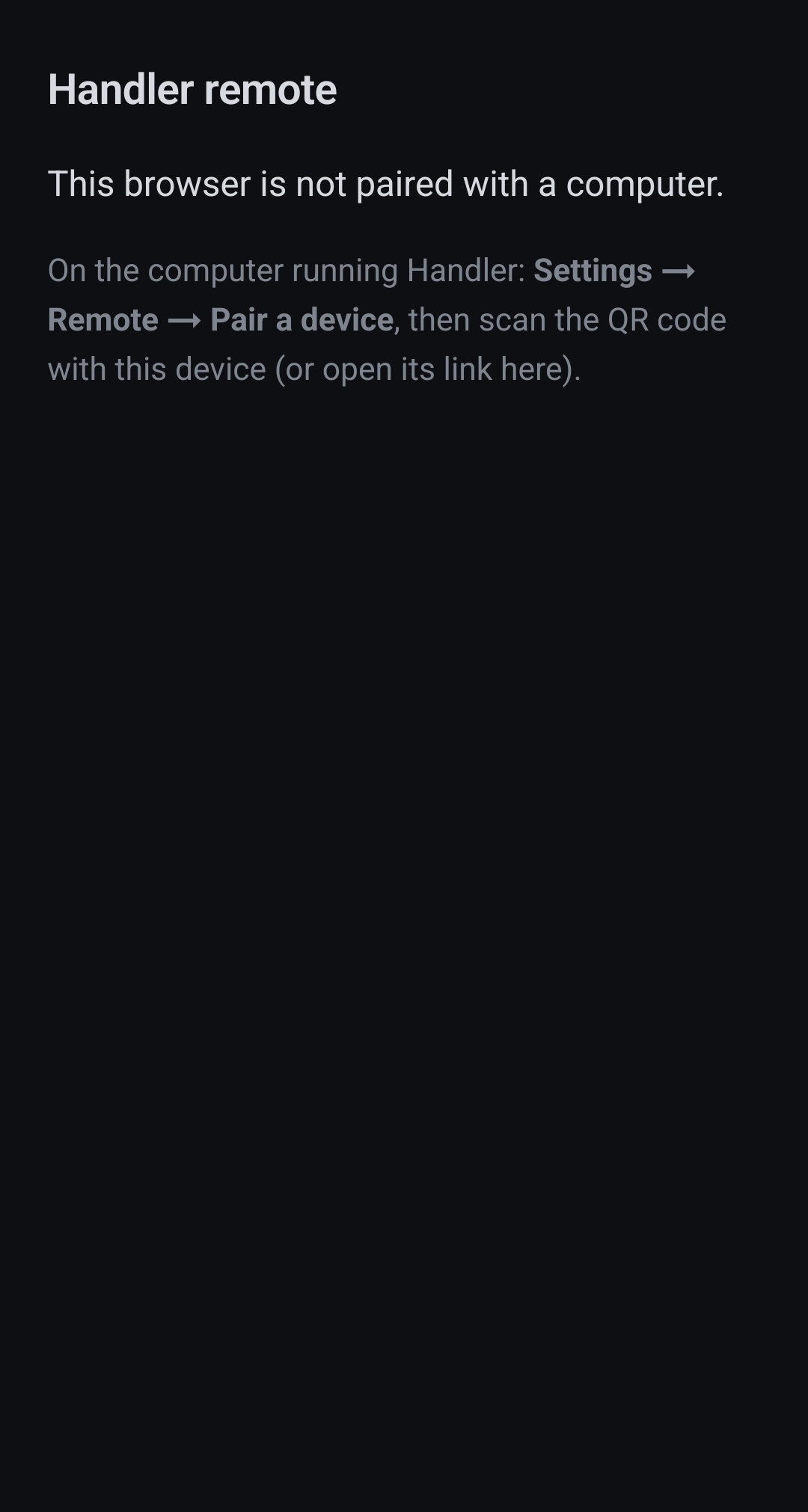
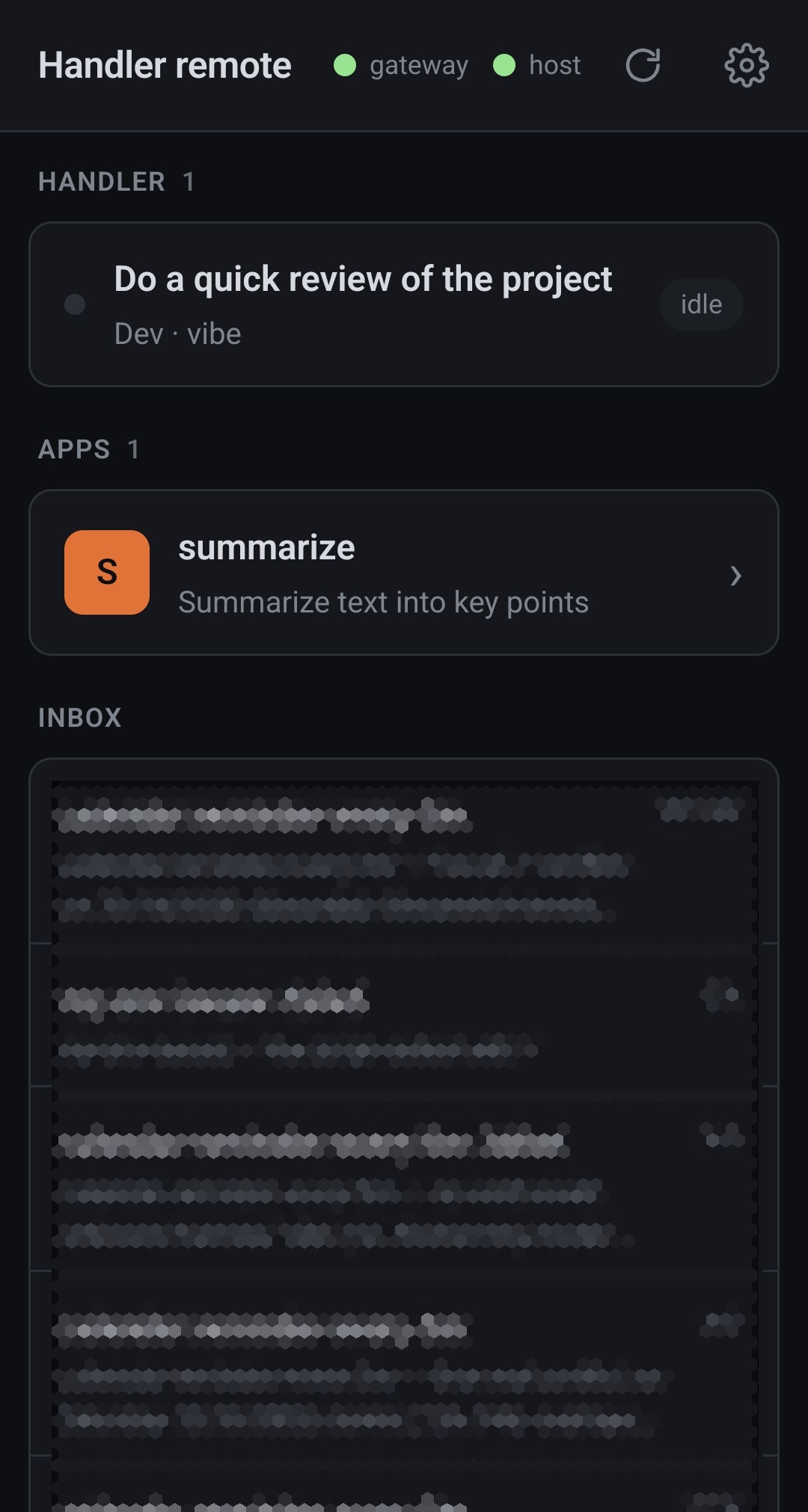
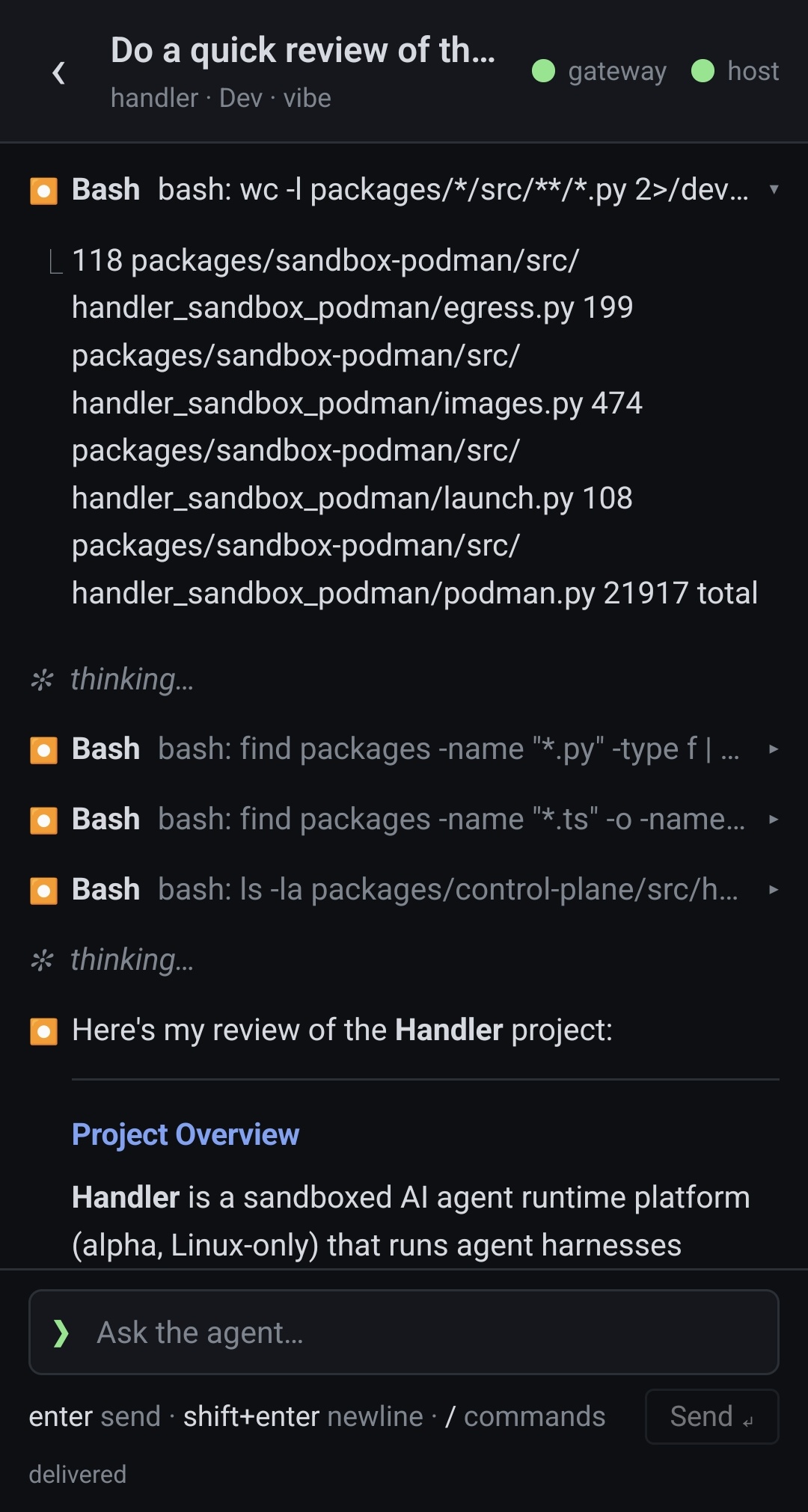
On a phone, through the remote gateway: before pairing, the home page (sessions, apps, inbox), a session. |
|
How it works
 web UI · handler CLI · editor (handler acp) · phone
              │  HTTP + WebSocket (ACP)
              ▼
          handlerd ── projects, agents, sessions; checks every message to and from the agent
              │
              ▼
   ┌──────────────── rootless Podman ─────────────────┐
   │  agent container            network filter       │
   │  Claude Code / Codex / …  ──► allowed hosts only │
   │  project folder (rw), nothing else               │
   └──────────────────────────────────────────────────┘
| Word | Meaning |
|---|---|
| Model access | An account (a subscription) or a provider (an API key, a local server). |
| Project | A folder and its agents. |
| Context | What a project is for (Work, Personal, a client). Each account and provider says which contexts it may be used for. |
| Agent | A role on a project: its model, instructions, network, permissions and tools. |
| Session | One conversation with an agent, in its own container, kept by the daemon. |
More: concepts.
Limitations
- Linux only.
- Containers share your kernel. That is weaker isolation than a virtual machine.
- Only Claude Code tokens and provider API keys are replaced by stand-ins. A ChatGPT or Mistral
login file (Codex's
auth.json, Vibe's.env) and addons' secrets can be read inside the container, and a manipulated agent could send them to an allowed host. Keep allow-lists short. - An agent can change or delete anything in its project folder. Use git.
- Phone access needs a gateway that you host, behind HTTPS.
- The rest: known limitations, and what the sandbox protects and what it does not.
Documentation
- Using Handler: getting started · concepts · where things are kept · security · known limitations
- Features: addons · browser · knowledge folders · automations · mini apps · phone
- Command line: every
handlercommand - Working on Handler: development · architecture · domain model · code map · contracts · design notes
- Changelog
Feedback
Open an issue to tell us what you tried,
where it failed, or about a bug. Pull requests are not merged: please describe the problem
instead (CONTRIBUTING.md). For a security problem, see
SECURITY.md.
License
Apache 2.0, see LICENSE.